
What is a wildcard domain, and what is it for? A wildcard domain such as
*.nischal-dahal.com.np sends every subdomain to the same app, and the app
decides what to serve based on the subdomain in the request.
That opens up a lot of ideas for dynamic, user-centric web apps. A few projects where wildcard subdomains fit well:
- Multi-tenant SaaS platform (e.g. Acme Inc.)
- Personal portfolio network
- Blogging platform
On a blogging platform, each user gets a blog at broisnees.yourblog.com with its own theme and layout. Medium is a good example. Wildcard subdomains also work on a custom domain, and that's the setup I walk through here.
I run a single service here. In a bigger setup, a server such as Nginx or Caddy can sit in front and route each subdomain to a different web app.
Setting up the project
The stack: Bun, Elysia, Neon serverless PostgreSQL, Drizzle, Fly.io, Cloudflare and Docker.
Create the project with Elysia's starter command, bun create elysia myapp.
Once it's initialized, run it and it should come up on port 3000.
For the database I use Neon's serverless PostgreSQL with Drizzle ORM, my go-to ORM. The reference repo is on GitHub.
src/index.ts is the main entry point. Before touching it, create a db folder
inside src, starting with db/index.ts:
import { neon } from '@neondatabase/serverless';
import { drizzle } from 'drizzle-orm/neon-http';
import * as schema from './schema';

if (!process.env.DATABASE_URL) {
	throw new Error('Database credentials missing.');
}

export const sql = neon(process.env.DRIZZLE_DATABASE_URL!);

const db = drizzle(sql, {
	schema,
});

export { schema, db };
Next, create drizzle.config.ts in the project root. If Drizzle is new to you,
start with their docs.
import type { Config } from 'drizzle-kit';

export default {
	schema: './src/db/schema/index.ts',
	out: './drizzle',
	dialect: 'postgresql',
	dbCredentials: {
		url: String(process.env.DRIZZLE_DATABASE_URL),
	},
	verbose: true,
	strict: true,
} satisfies Config;
Then the schema, in db/schema/index.ts:
import { integer, pgTable, serial, text, timestamp } from 'drizzle-orm/pg-core';

export const usersTable = pgTable('users_table', {
	id: serial('id').primaryKey(),
	name: text('name').notNull(),
	age: integer('age').notNull(),
	email: text('email').notNull().unique(),
});

export const postsTable = pgTable('posts_table', {
	id: serial('id').primaryKey(),
	title: text('title').notNull(),
	content: text('content').notNull(),
	userId: integer('user_id')
		.notNull()
		.references(() => usersTable.id, { onDelete: 'cascade' }),
	createdAt: timestamp('created_at').notNull().defaultNow(),
	updatedAt: timestamp('updated_at')
		.notNull()
		.$onUpdate(() => new Date()),
});

export type InsertUser = typeof usersTable.$inferInsert;
export type SelectUser = typeof usersTable.$inferSelect;

export type InsertPost = typeof postsTable.$inferInsert;
export type SelectPost = typeof postsTable.$inferSelect;
That's it for the database files. The last piece is the entry point,
src/index.ts:
import swagger from '@elysiajs/swagger';
import { Elysia } from 'elysia';
import { db, schema } from './db';
import { eq } from 'drizzle-orm';

export function getCname<T extends Request>(req: T) {
	return req.headers.get('host')?.split('.')[0];
}

const app = new Elysia()
	.use(swagger())
	.derive(({ request }) => {
		return { cname: getCname(request) };
	})
	.get('/', async ({ cname }) => {
		const user = await db.query.usersTable.findFirst({
			where: eq(schema.usersTable.name, cname!),
		});

		if (!user) return `You do not have the access.`;

		return `Hello, ${cname}`;
	})
	.listen(process.env.PORT!);

console.log(
	`🦊 Elysia is running at ${app.server?.hostname}:${app.server?.port}`,
);
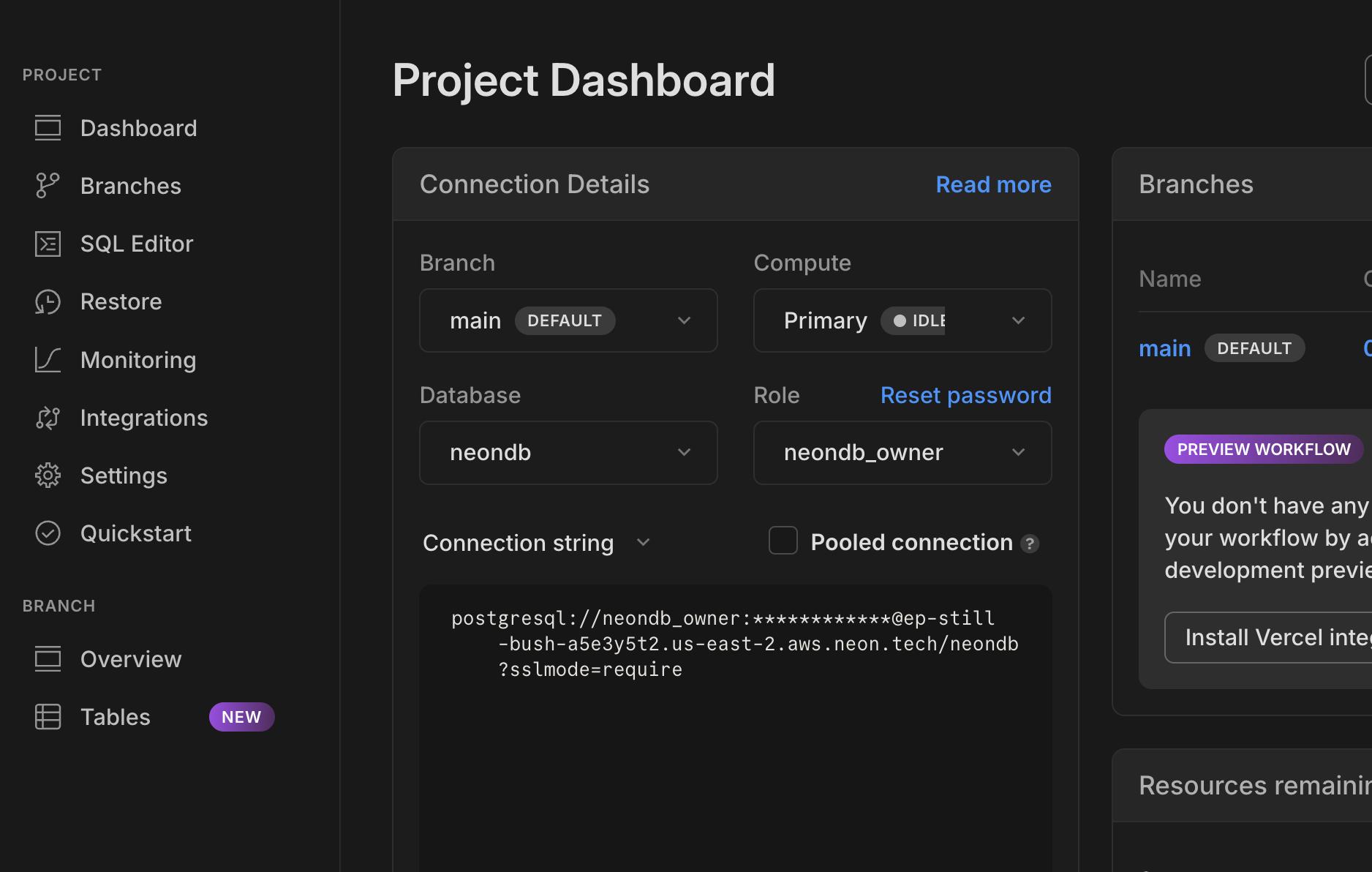
The code reads two environment variables, PORT and DATABASE_URL:
PORT=8080
DRIZZLE_DATABASE_URL="postgresql://yourvalidneonurl@ep-still-bush-a5e3y5t2.us-east-2.aws.neon.tech/neondb?sslmode=require"
The connection string is on the Neon project dashboard.
Deploying to Fly.io
With the code base ready, it's time to deploy. If the Fly CLI isn't installed,
run brew install flyctl or check fly.io for other ways to
install it.
fly launchIf the CLI isn't authorized yet, fly launch asks for a login first. After
that it detects the Bun app and generates the configuration, including a
Dockerfile. If it doesn't, here is a simple Dockerfile for Bun:
FROM oven/bun as base
LABEL fly_launch_runtime="Bun"
WORKDIR /app
ENV NODE_ENV="production"
# ENV DATABASE_URL=""
FROM base as build
RUN apt-get update -qq && \
    apt-get install -y build-essential pkg-config python-is-python3
# Install node modules
COPY --link bun.lockb package.json ./
RUN bun install --ci
# Copy application code
COPY --link . .
FROM base
COPY --from=build /app /app
EXPOSE 8080
CMD [ "bun", "run", "dev" ] # Start the server by default
fly launch also creates fly.toml in the project root:
app = 'mydocsbackend'
primary_region = 'ams'

[build]

[env]
PORT = '8080'

[http_service]
internal_port = 8080
force_https = true
auto_stop_machines = 'stop'
auto_start_machines = true
min_machines_running = 0
processes = ['app']

[[vm]]
memory = '512mb'
cpu_kind = 'shared'
cpus = 1
The database has to be migrated before the app goes live, so I add a [deploy]
section to fly.toml that runs the migrate command as the release command:
[deploy]
release_command = "bun run migrate"
Here are the scripts and dependencies from package.json:
 "scripts": {
    "test": "echo \"Error: no test specified\" && exit 1",
    "dev": "bun run --watch src/index.ts",
    "migrate": "npx drizzle-kit migrate",
    "db:push": "bunx drizzle-kit push",
    "generate": "bunx drizzle-kit generate"
  }
  "dependencies": {
    "@elysiajs/swagger": "^1.1.0",
    "@neondatabase/serverless": "^0.9.4",
    "drizzle-orm": "^0.32.1",
    "elysia": "latest",
  }
Either db:push or migrate works. db:push pushes the schema straight to the
database. With that, everything is ready to deploy to Fly.io:
#deploy the application
fly deploy
After a successful deploy, Fly.io gives the app a hostname where it's reachable. Mine is mydocsbackend.fly.dev.
Cloudflare DNS and Fly.io custom domain
In the Cloudflare dashboard, open DNS and click Add record.
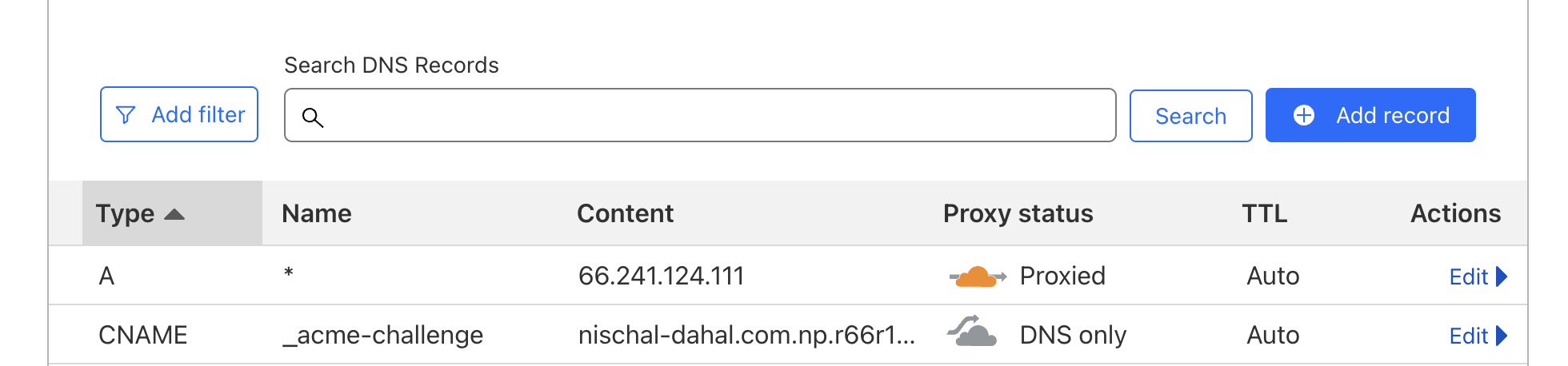
Where does that IPv4 address come from? Fly.io. The app dashboard lists it under IP addresses, and the sidebar has a Certificates page.
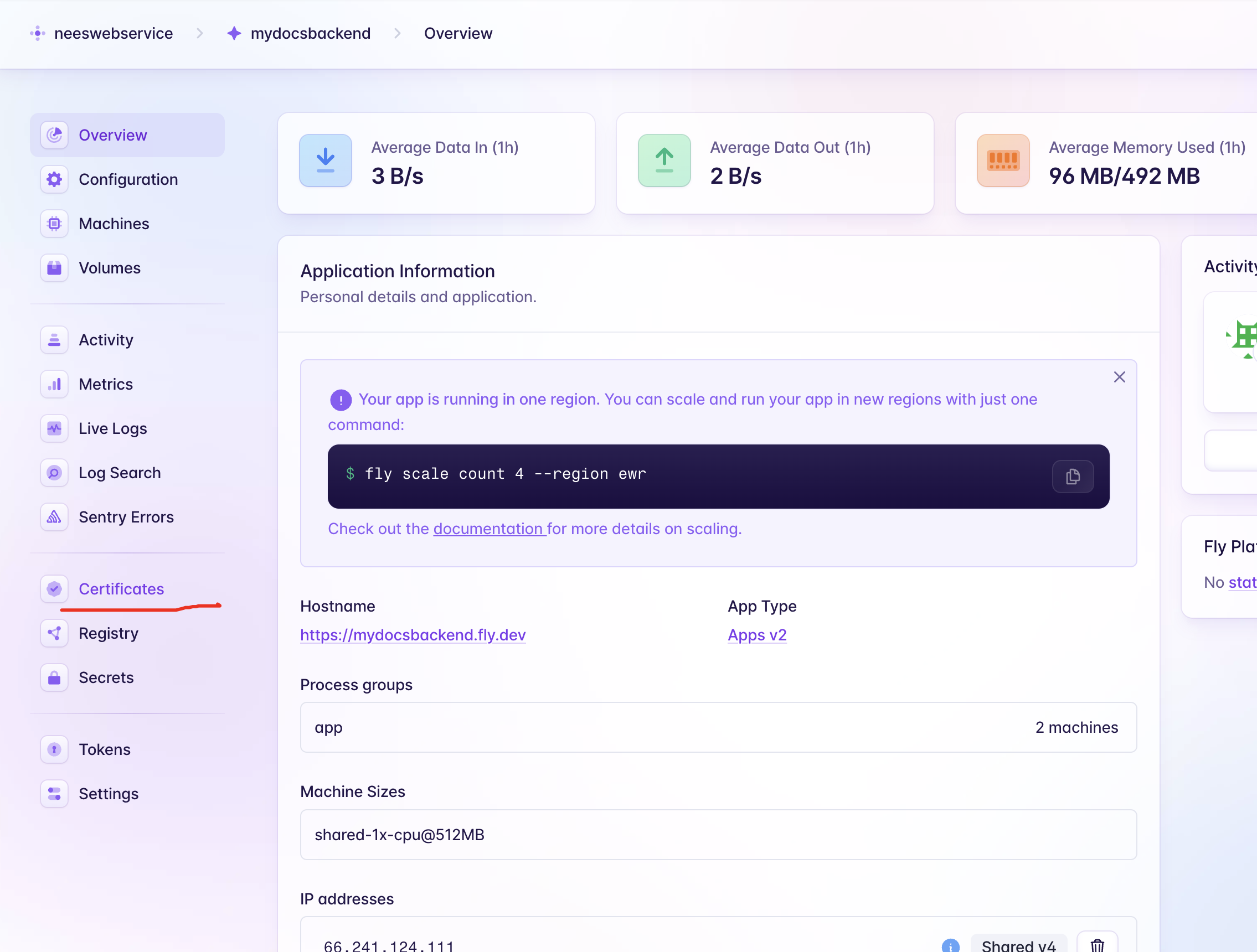
On the Certificates page, add a new certificate for the domain. Mine is *.nischal-dahal.com.np. I don't have a .com domain, so I use the country-code one.

The Verified, RSA and ECDSA checks won't show green dots at first. Fly.io lists
an _acme-challenge CNAME under Domain ownership verification. Add it in
Cloudflare, pointing to the value Fly.io gives, and after a while the
certificate is verified and ready to go.
Hitting the API from the wildcard domain
The API in src/index.ts is small. It takes the subdomain from the request's
host, looks up a user with that name in the Neon database, and says hello if the
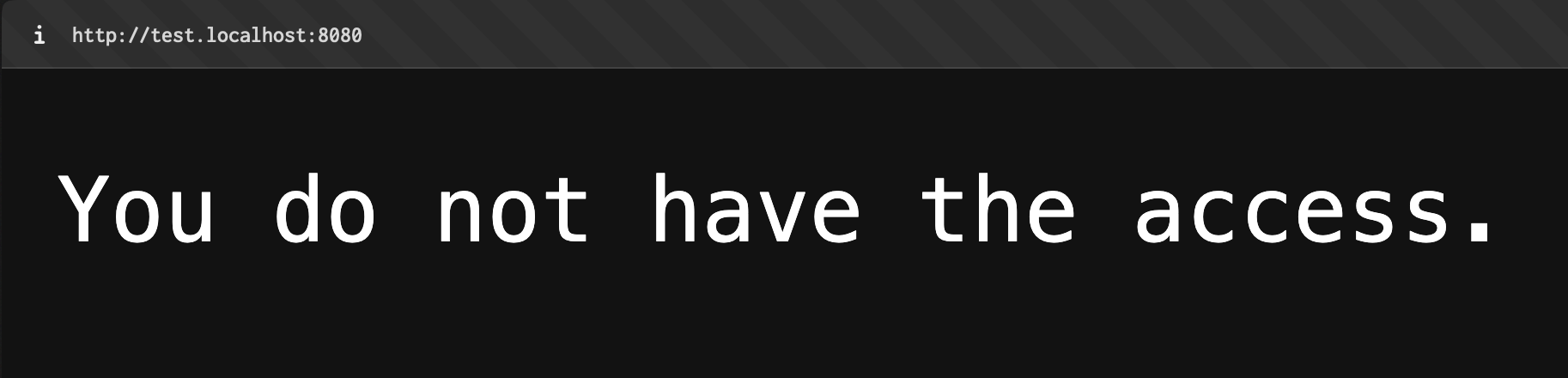
user exists. Otherwise it returns "You do not have the access."
For example, test.localhost:8080 is refused because there's no user named test
in the database:
I didn't write a seed script. Add users with one, or insert rows by hand in
Drizzle Studio with npx drizzle-kit studio:
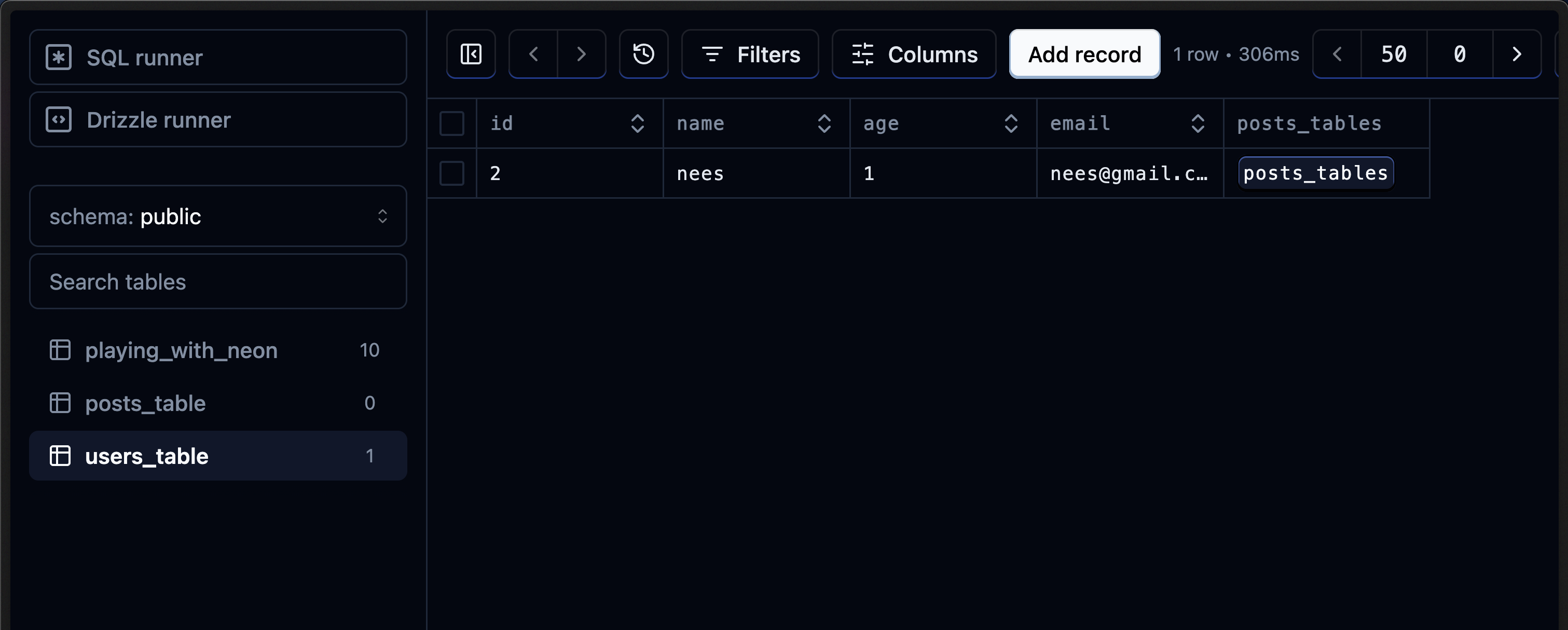
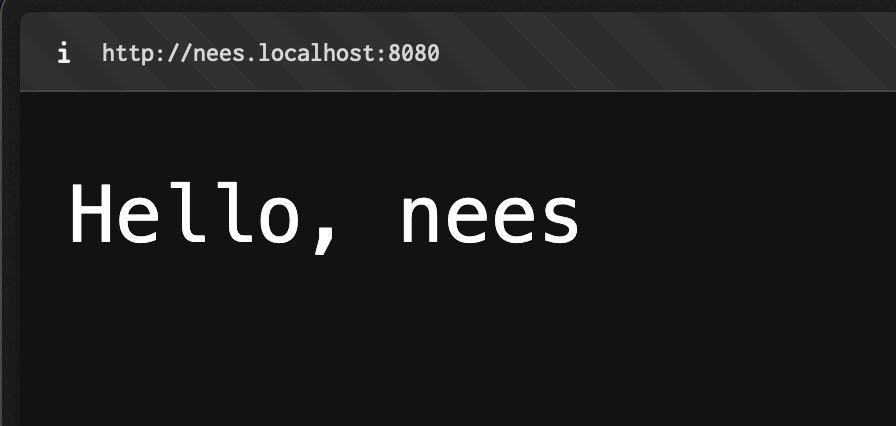
After adding a user named nees by hand, nees.localhost:8080 returns a
greeting:
Did you know? Subdomains work on
localhosttoo.
Production gives the same result. If anything changed since the last deploy,
run fly deploy first.

Conclusion
That's a Bun, Elysia and Drizzle app set up, deployed and tested on Fly.io. The same approach works on other hosting platforms too, like Railway and Coolify.